OpenPad

ROLE
User Researcher
UX Designer
UI Designer
DELIVERABLES
Design System
Webapp Redesign
TOOLS
Figma
Figjam
Illustrator
About the project
Background
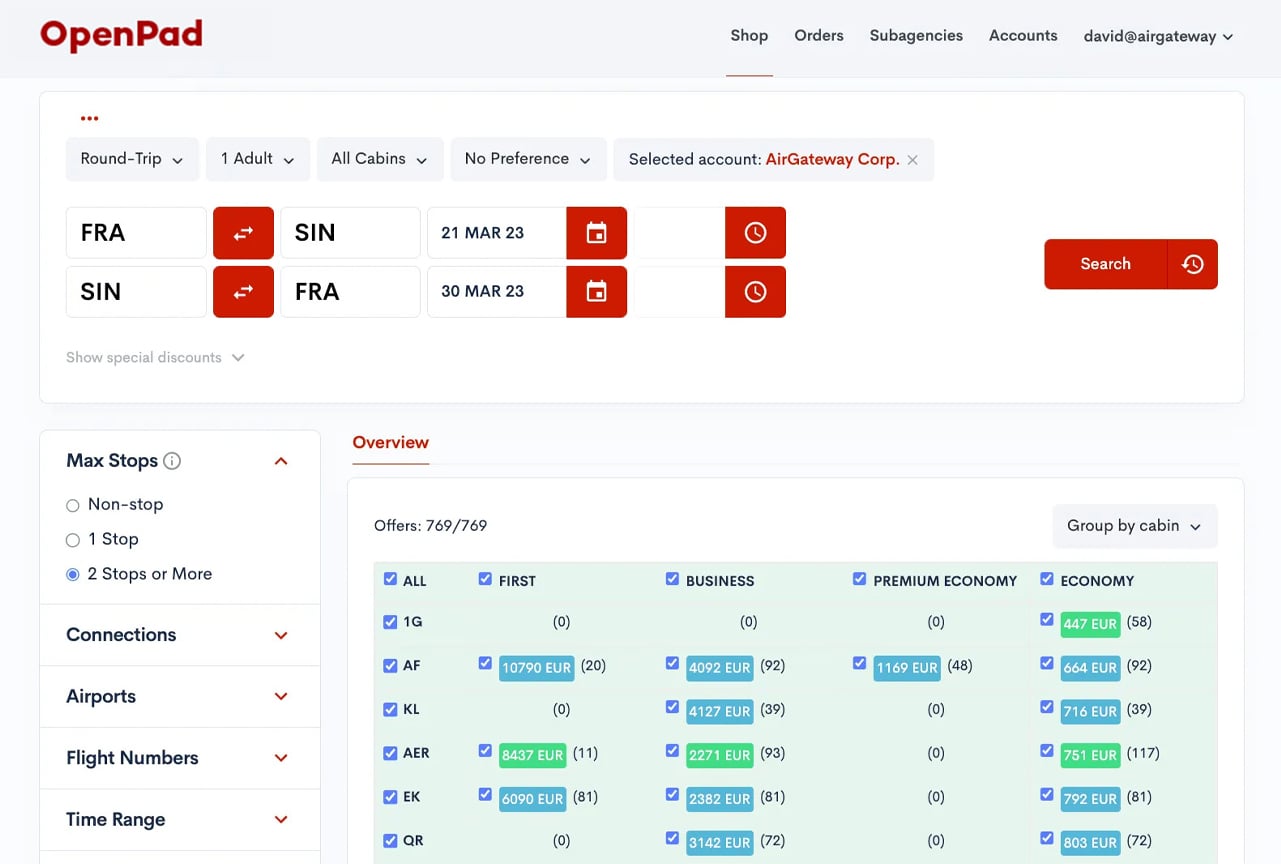
Before diving into solutions, I spent time understanding the world of travel agents and it quickly became clear that the existing airline booking tools, based on the Global Distribution System (GDS), hadn’t evolved much since the 1980s. The system relied heavily on text-based commands and agents had to memorize workflows and codes just to complete basic bookings.
OpenPad was introduced as a step forward: a web-based platform that embraced the New Distribution Capability (NDC) to bring airline retailing into the modern era. But while the underlying tech had improved, the experience still lagged behind. Agents were frustrated, overwhelmed and often unsure of what to do next.
Discovery & Research
User Insights
To truly understand agent pain points, I conducted onboarding sessions and interviews with both experienced and newer users. Many veterans were skeptical of the switch, they were fast with GDS and viewed anything unfamiliar as slower by default.
Still, across the board, their frustrations were consistent:
- Steps in the booking process weren’t clearly defined, making it hard to know what action was needed and when.
- Important information was hidden behind layers or scattered across long pages.
- Agents spent far too much time scrolling and scanning rather than serving clients.
One key takeaway: performance and clarity mattered more than aesthetics. Agents didn’t want something “beautiful”, they wanted something reliable, fast and understandable.
Competitive Analysis
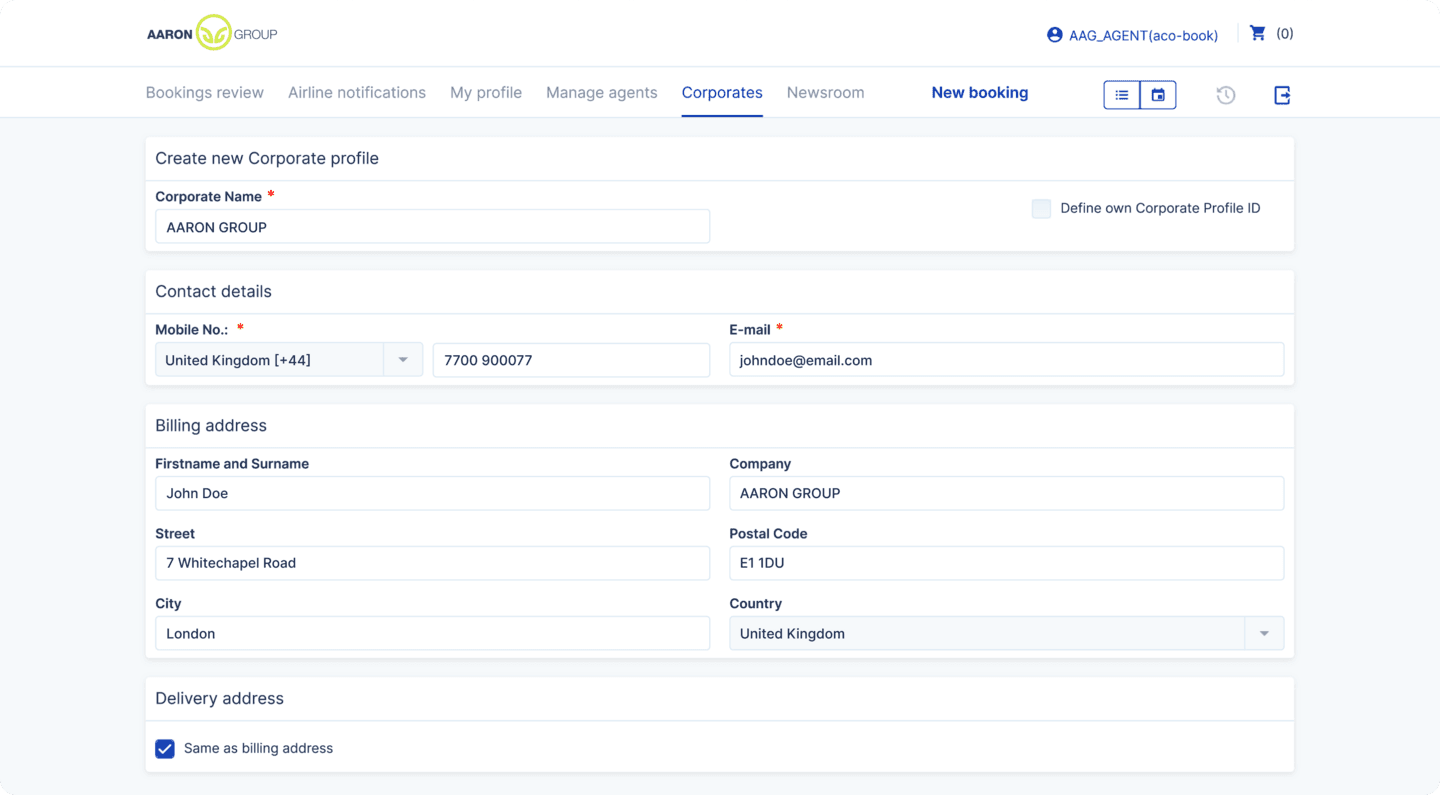
In parallel, I analyzed direct competitors like Aaron Group and Aeronology, who had adopted NDC early. While they offered richer features, they also revealed complexity pitfalls to avoid. I also looked at GDS giants like Amadeus and Sabre, which continued to dominate but offered very little user-centric innovation.
Design Goals
The design process focused on enhancing usability and maintaining consistency across the platform while introducing a refined, modern visual style. Building upon the existing version, the objective was to streamline workflows for travel agents, simplify information displays and accommodate variations in airline data.
- Clarify the flow without requiring users to relearn everything.
- Create consistency in UI behavior and layout across all modules.
- Improve communication, especially around errors and task feedback.
Challenge
Every airline formatted their data differently, long names, incomplete info, or pricing discrepancies made UI consistency a real challenge. I needed a layout system that could flex, adapt and still look predictable, no matter the input. Every component was designed to gracefully degrade and accommodate missing or messy data.
Shop
I started with the most-used screen: the shopping interface.
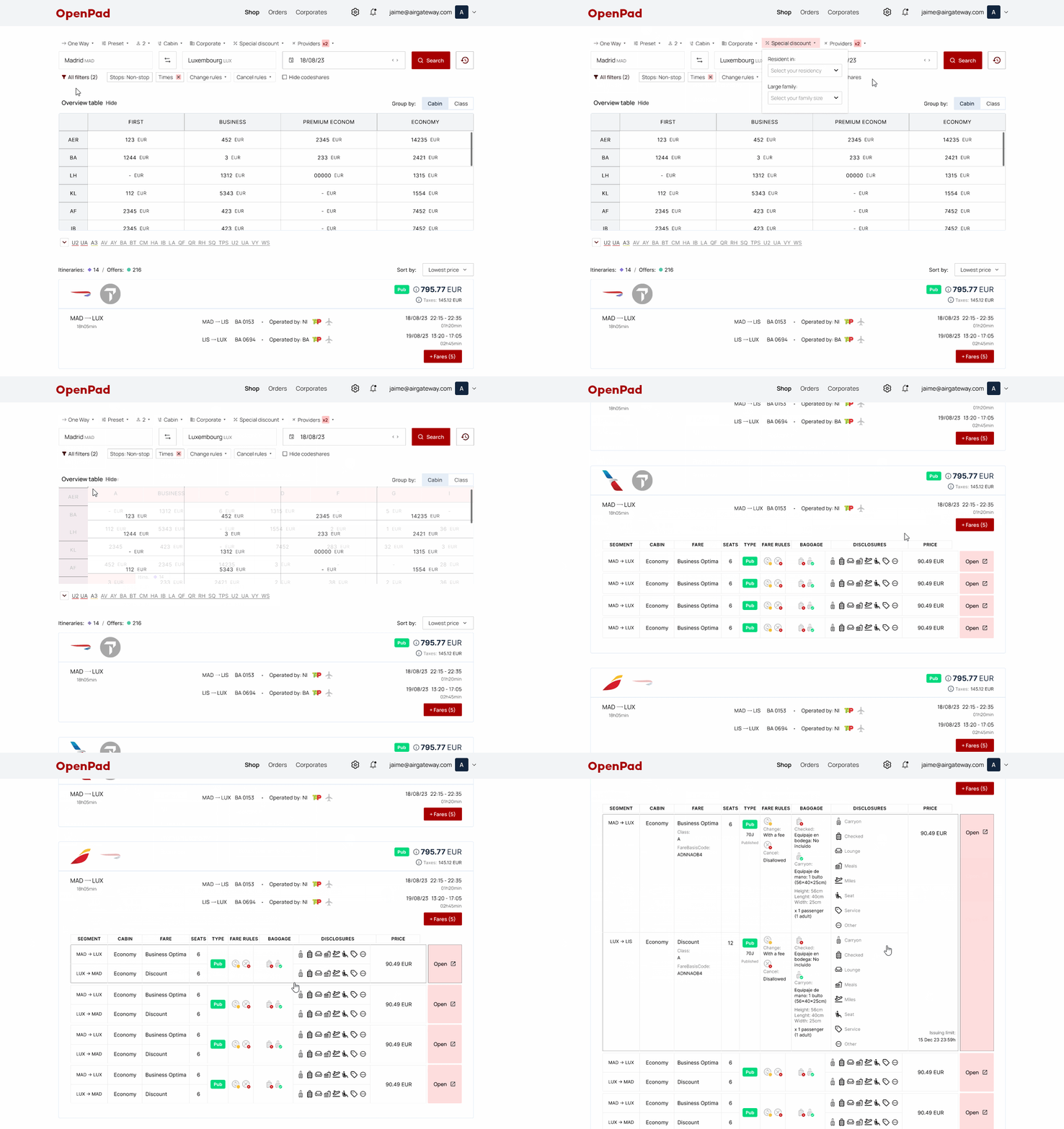
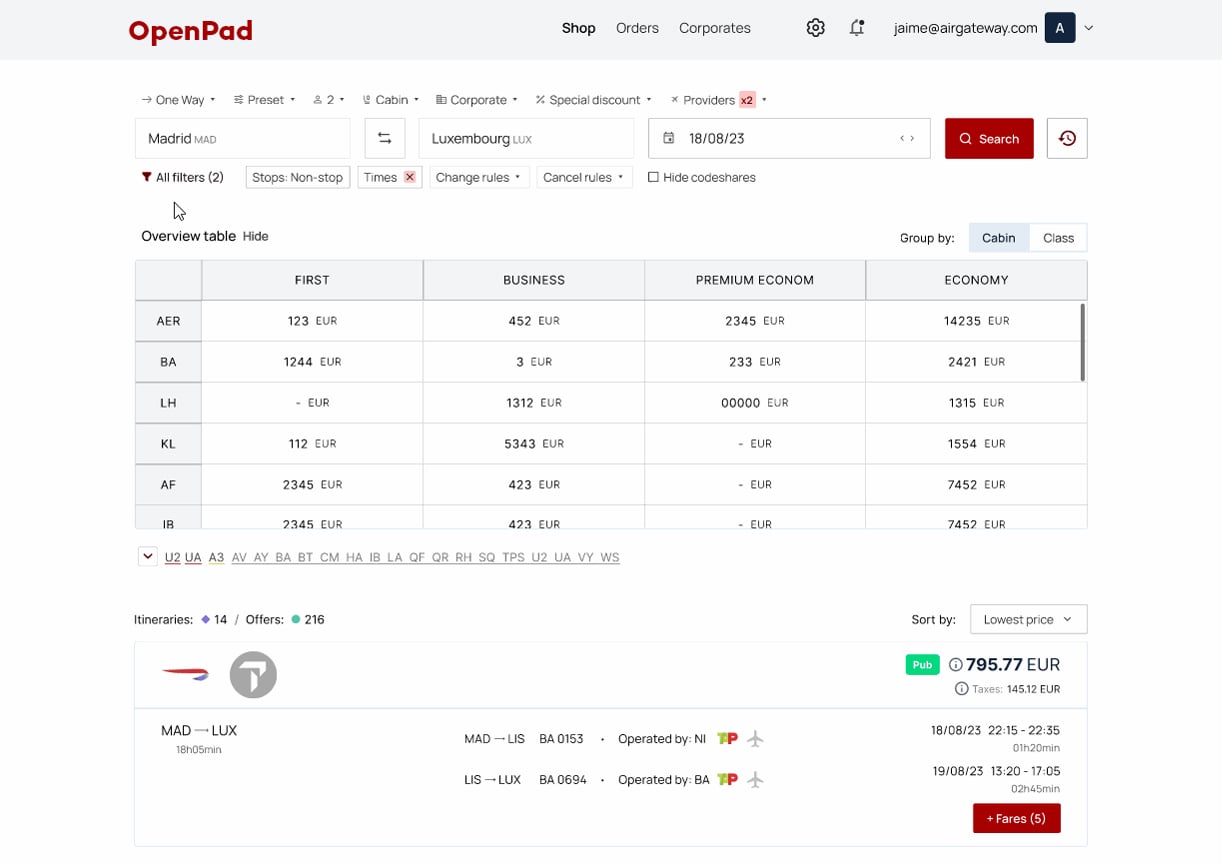
The core workflow remained, but every section was redesigned for clarity and flow. Round trips were combined into a single line to reduce visual clutter. Filters were simplified and reorganized, with new options like “select provider before searching.” I removed unused options and introduced a collapsible overview table to declutter the screen even more. Error messaging was also made explicit, no more wondering why results weren’t loading. And finally, I added expandable itinerary previews that allowed agents to see more detail at a glance, without relying on icon tooltips.
Result: Faster searches, cleaner screens and clearer feedback.
Booking Details
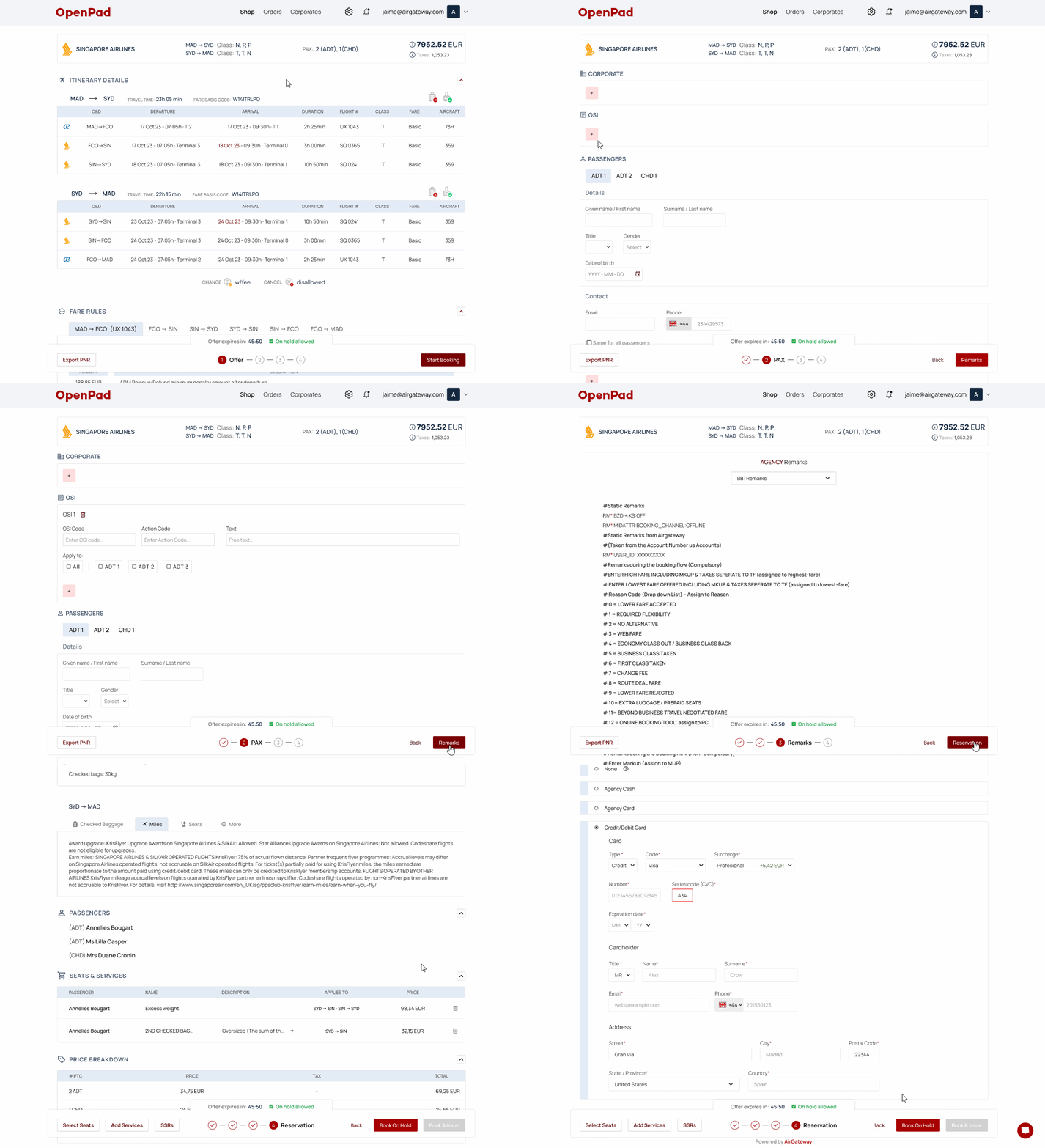
Here, I focused on keeping agents oriented during a multi-step process.
The biggest shift was introducing persistent step navigation at the bottom of the screen, allowing agents to jump between booking stages without scrolling endlessly. Information blocks like “Fare Rules” or “Itinerary Details” were made collapsible, saving time for agents who already knew their way around. Itinerary layout was improved for full-width clarity and form fields were grouped and prioritized based on airline logic. Finally, the payment summary was redesigned to reflect all booking details clearly, from added services to seat selections.
Result: Less scrolling, fewer mistakes and higher confidence before purchase.
Orders Managment
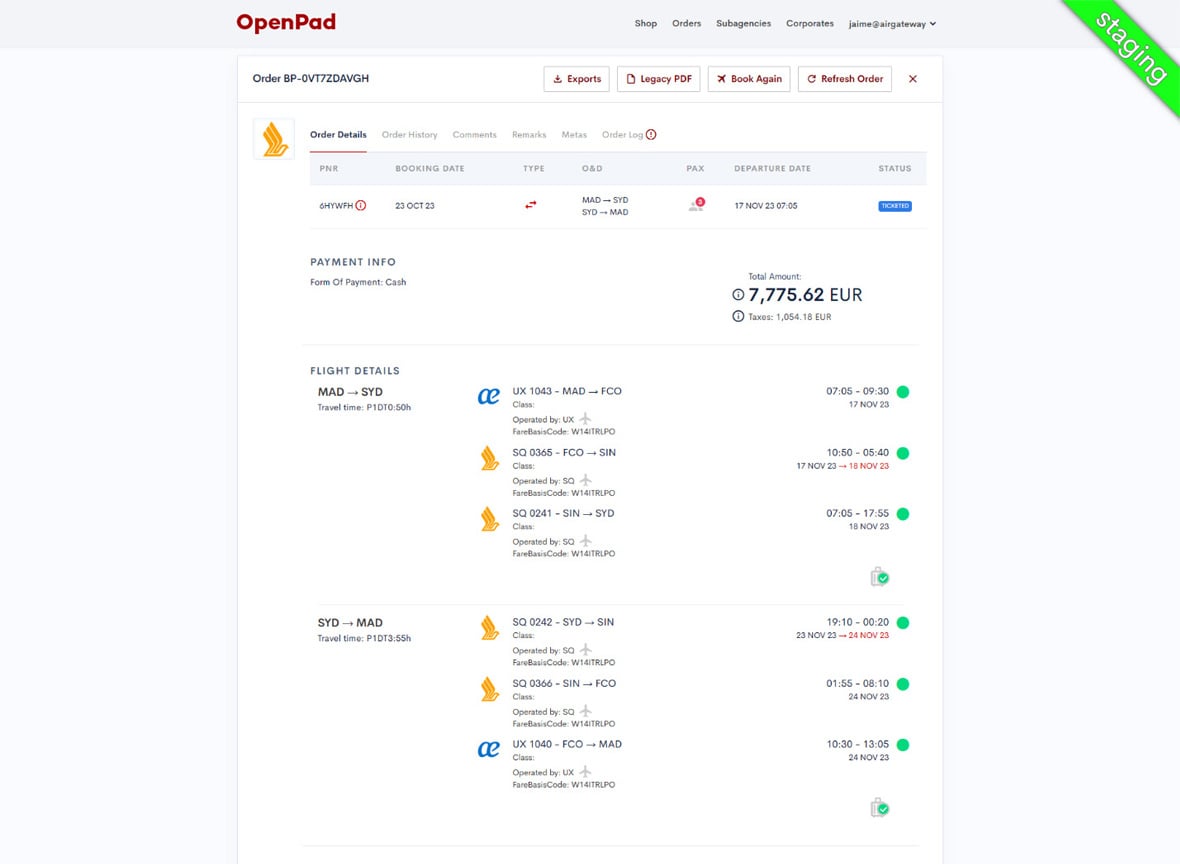
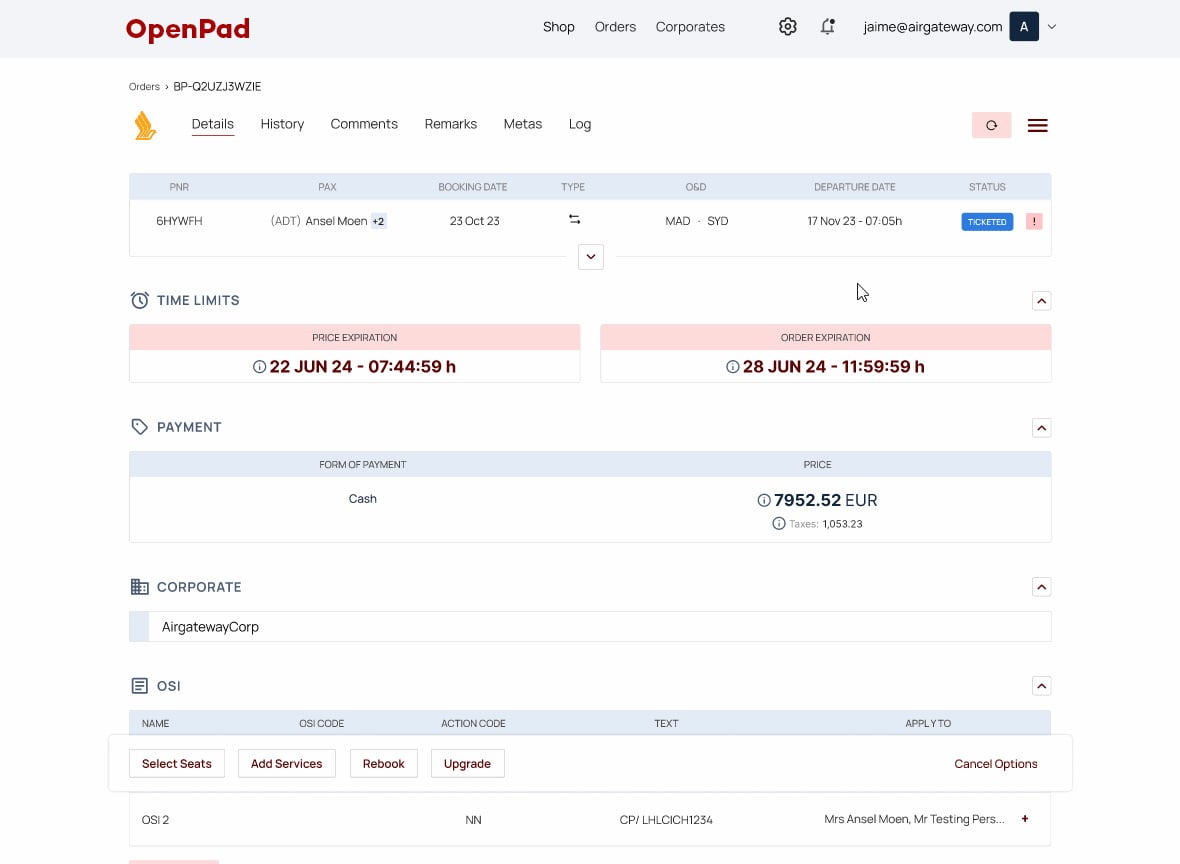
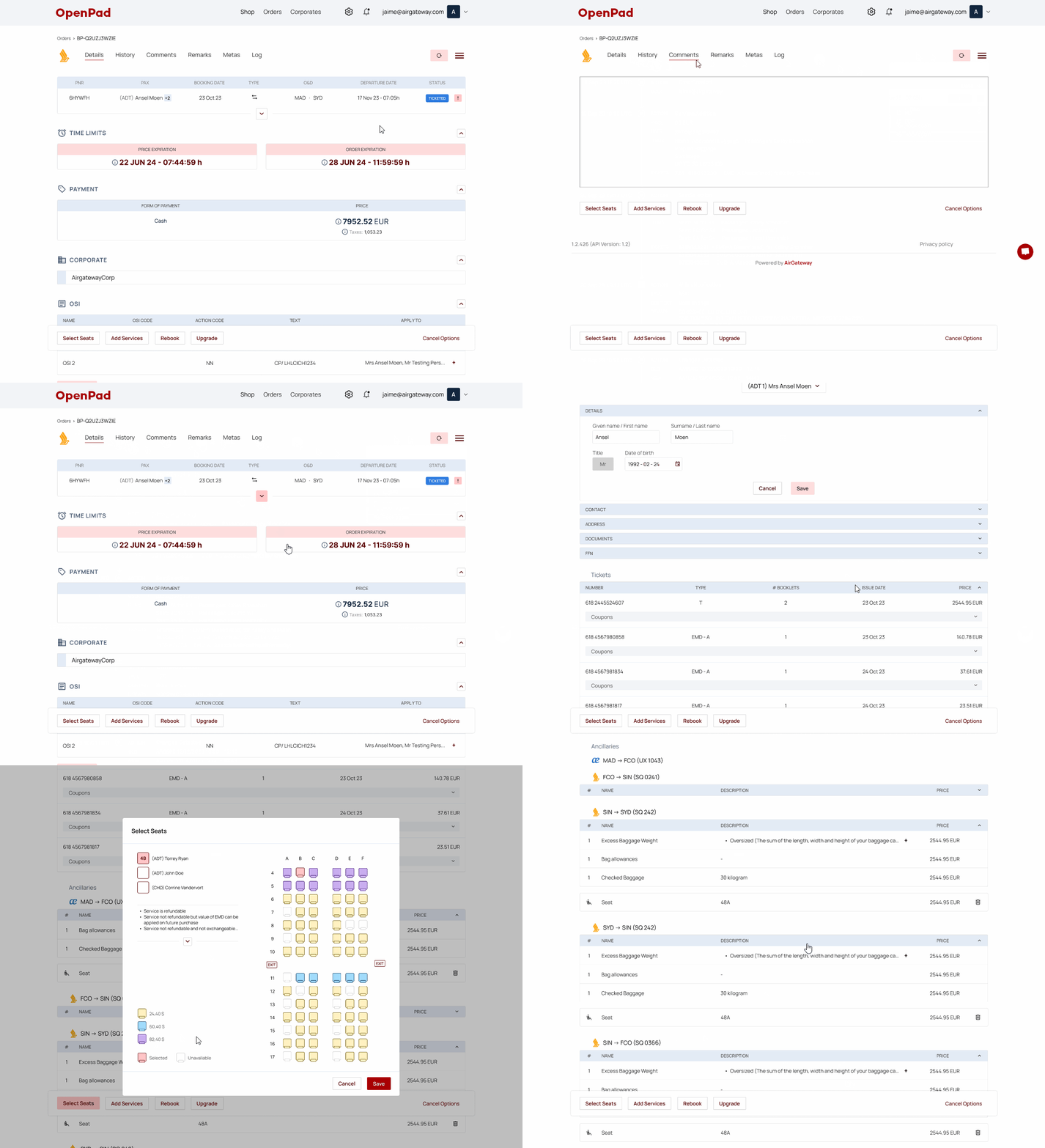
Post-booking workflows also saw major improvements.
I added passenger names to the orders list to make searching easier and made the booking details page match the logic and UI of the new booking process. Passenger info could now be expanded or collapsed and seat selection was color-coded by price. These small touches helped agents work more quickly, even under pressure.
Result: Better order lookup and visual consistency across modules.
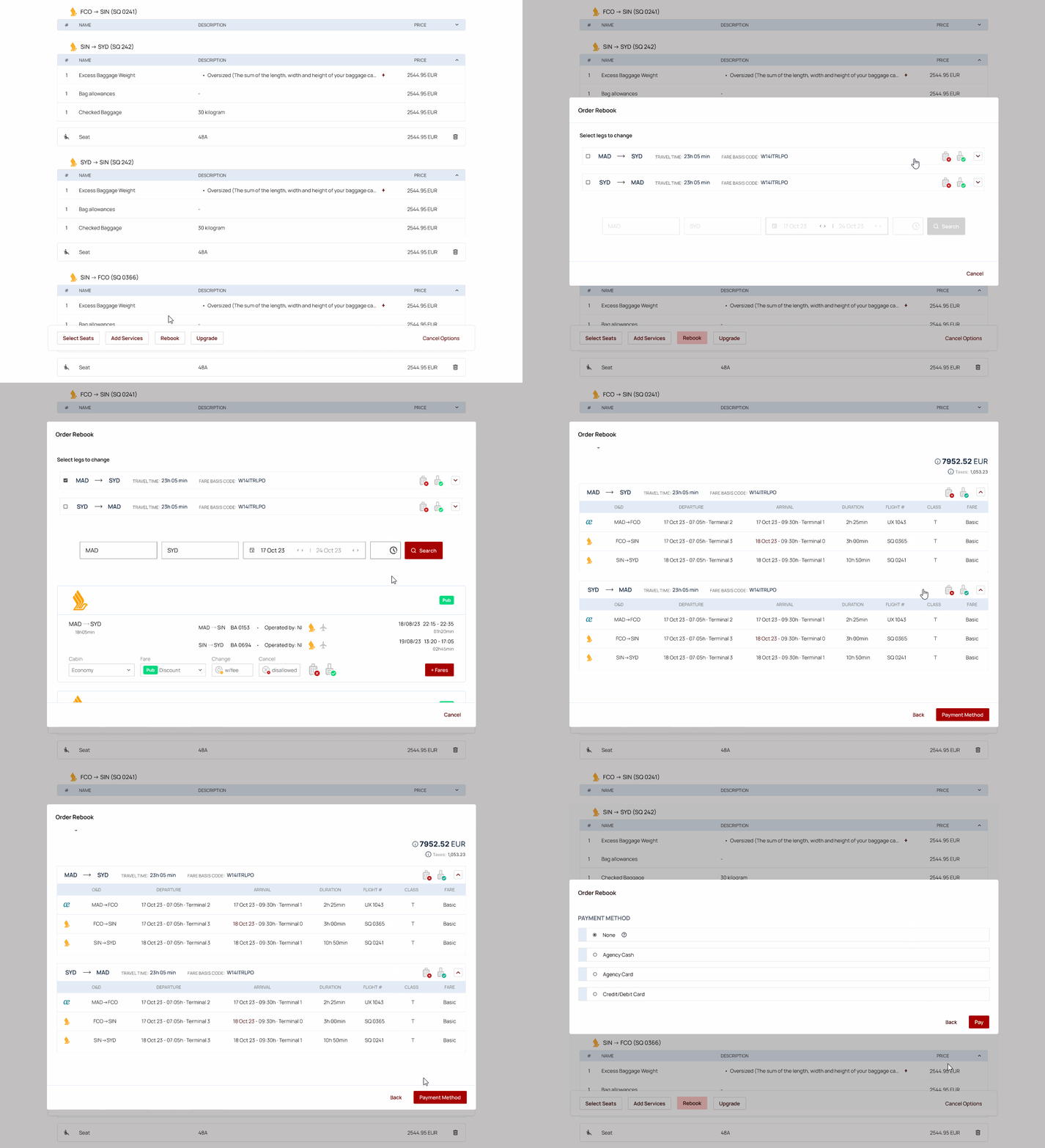
Rebooking
This was one of the trickiest areas, agents needed to cancel and rebook segments while keeping track of old vs. new selections.
The rebooking flow was redesigned to mirror the shopping and booking process, so the experience felt familiar. Segments being changed were highlighted clearly and the overall navigation was simplified to reduce confusion.
Result: Rebookings that feel just as clear as new bookings.
Beyond the Core
While most of the design effort went into shopping, booking and order flows, I also made improvements to areas like presets, settings, corporate sections, login, profiles and onboarding. These supported the overall experience and helped ensure the platform felt consistent no matter where agents were working.
Impact & Outcomes
Highlights
- Booking time reduced due to simplified navigation and less cognitive load.
- Higher satisfaction, especially with the updated itinerary and booking views.
- Fewer errors, thanks to clearer form guidance and error messaging.
- Faster onboarding for new agents, with better visual hierarchy and consistency.
- Better adoption among veteran agents who had initially been reluctant to switch.
Once the redesign was rolled out, support tickets dropped significantly, especially around booking issues and agent confusion. Agents reported higher confidence in managing bookings on their own and usability testing showed a notable drop in time-to-completion for common tasks.
Reflection
This project reminded me that great design often happens quietly, not with flashy animations or radical redesigns, but by making workflows feel natural and dependable. I’m proud that this work helped agents do their jobs more efficiently, without forcing them to change the way they work.